Research public business info — get organised B2B leads
LeadFOMO is an AI-assisted lead research platform. It discovers relevant businesses from public listings, researches their websites and public profiles to fill the gaps, and consolidates everything into structured, export-ready lead profiles — so you skip hours of manual look-up.
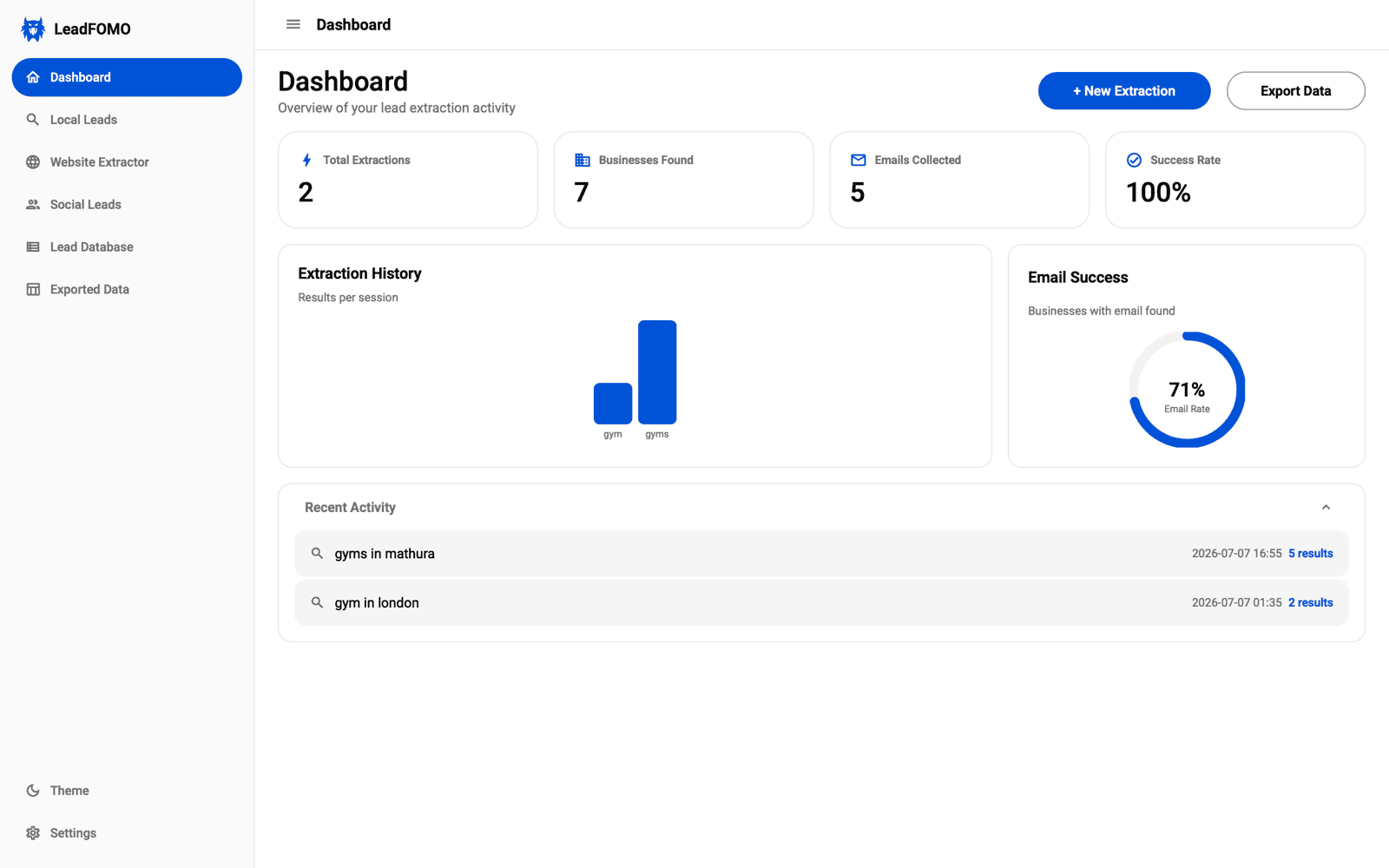
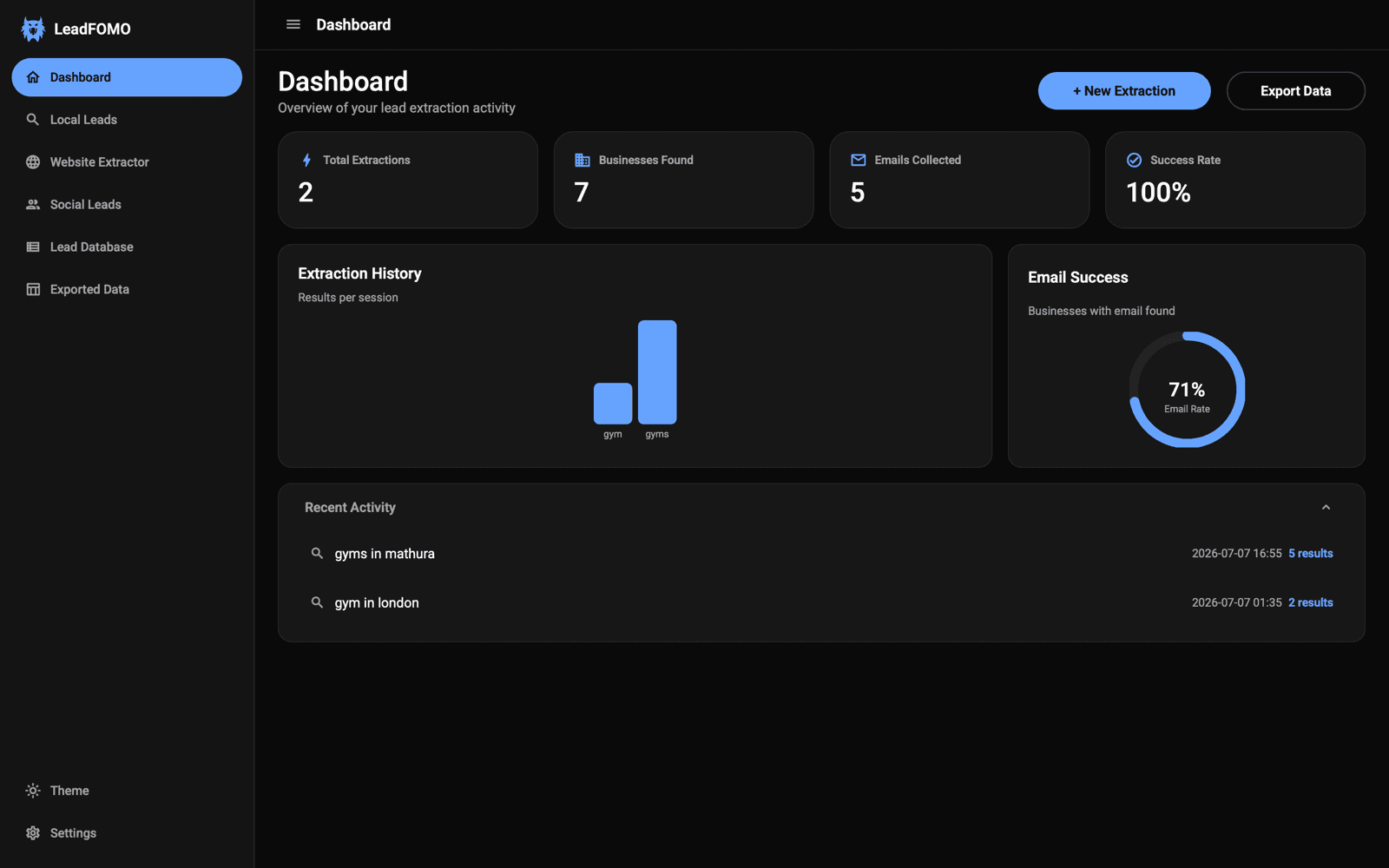
Actual product screenshots. The app matches your light or dark theme — just like this site.
- 0
- Research sources
- 0-stage
- Research pipeline
- 0+
- Fields per lead
- 0
- Export formats
Maps, websites, public profiles, imports
Discover → collect → research → organise
Name, phone, website, socials & more
CSV and Excel, from your local database
The manual way is slow
Public business info is everywhere — and nowhere
The details you need are public, but scattered across listings, websites, and profiles. LeadFOMO does the research and hands you one organised record.
Before · scattered across the public web
Google listing
name · phone · rating
Business website
email hidden in footer
Instagram bio
handle + link
Facebook page
second phone number
company + role
Opening five tabs per business and copy-pasting into a sheet.
After · one organised lead
- Business name
- Phone
- Website
- Instagram · Facebook · LinkedIn
Consolidated, de-duplicated, and ready to export.
How it works
A four-stage research pipeline
From a single query to a consolidated lead profile — here is exactly what happens on every run.
- 1
Business Discovery
Find the right businesses
Start from a category and location. LeadFOMO reviews publicly available business listings to identify the businesses that match what you are researching.
- Category + location
- Public listings
- Relevance match
- 2
Public Contact Discovery
Collect what is published
For each business it organises the publicly displayed essentials — name, address, phone, rating, review count, and a website or email where the business publishes one.
- Name & address
- Phone
- Website
- Rating
- 3
AI Business Research
Research the public web to fill the gaps
When a listing is incomplete, the platform continues researching the business's own public presence — its official website and public business profiles on Facebook, Instagram, LinkedIn, and X — to discover additional published details.
- Official website
- X
- 4
Public Business Data Organization
Consolidate into one lead profile
Every signal is de-duplicated and consolidated into a single structured lead profile in your local database — ready to review, filter, and export to the workflow you choose.
- Structured profile
- Local database
- CSV / Excel export
Data enrichment
Watch a lead come together
A public listing gets you the basics. When details are missing, LeadFOMO keeps researching the business’s own website and public profiles to discover what else is published — then consolidates it all into one profile.
- Starts from publicly available business listings
- Follows the official website and public profiles to fill gaps
- De-duplicates and consolidates into a structured lead
- Everything stays in a local database you control
Harborview Dental Studio
Dental clinic · Austin, TX
Business name
Harborview Dental Studio
Address
12 Congress Ave, Austin
Phone
+1 (512) 555–0148
Rating
4.7 · 212 reviews
Website
harborviewdental.com
hello@harborviewdental.com
@harborviewdental
/harborviewdental
Harborview Dental Studio
Illustrative demo of how public signals consolidate into one lead.
One app. Four focused research tools.
Plan-based access, not per-record billing. Source availability, network conditions, source terms, and responsible-use limits still apply.
Business discovery
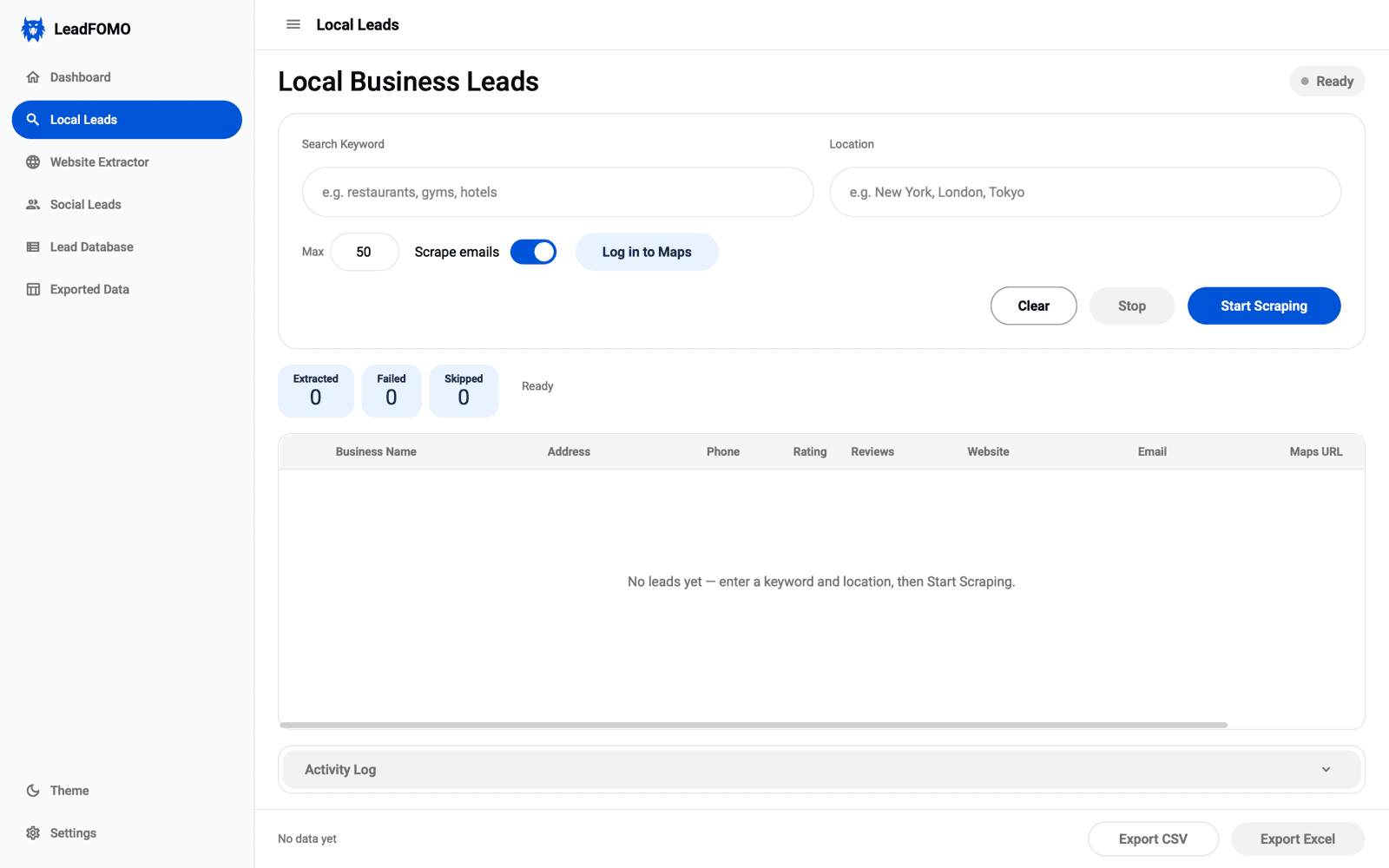
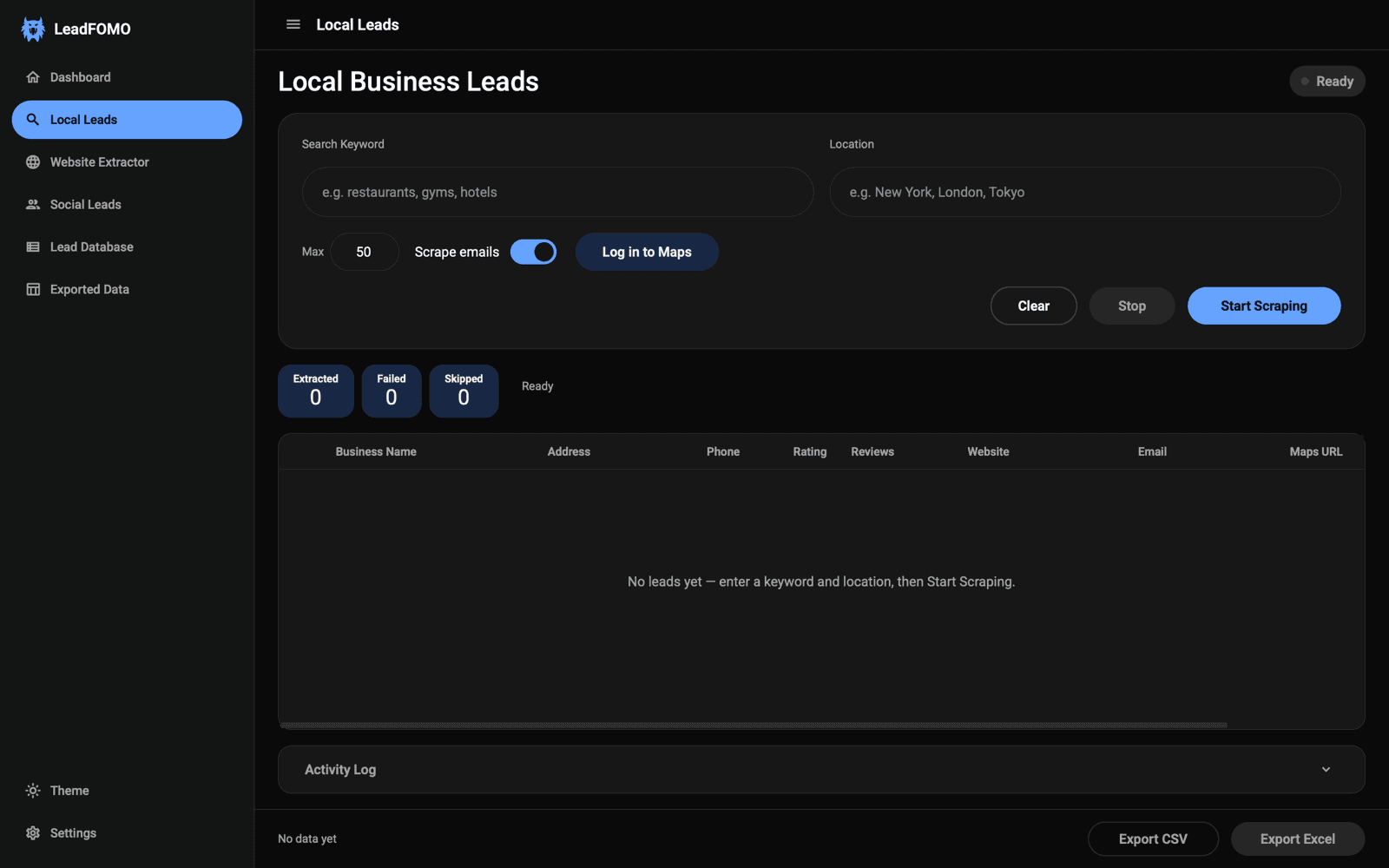
Research local businesses by keyword and location
Enter a category and a place, set a result limit, and review the publicly displayed fields returned for each business — name, address, phone, rating, review count, website, and email where a business publishes one.
- Keyword and location research controls with a per-run result limit
- Live progress counters for collected, failed, and skipped records
- Activity log so you can see exactly what the app is doing
Business contact discovery
Organise contact details from websites you choose
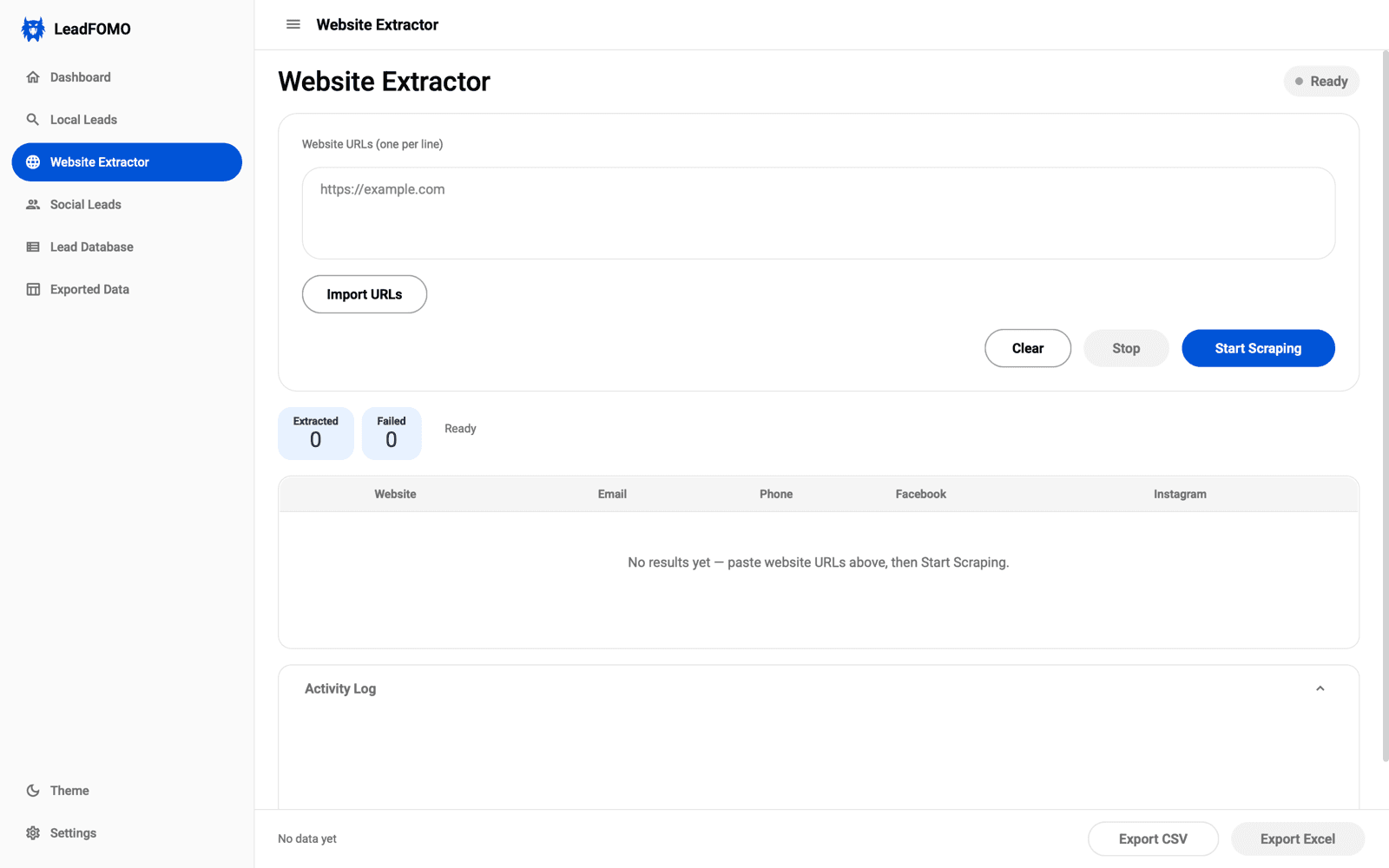
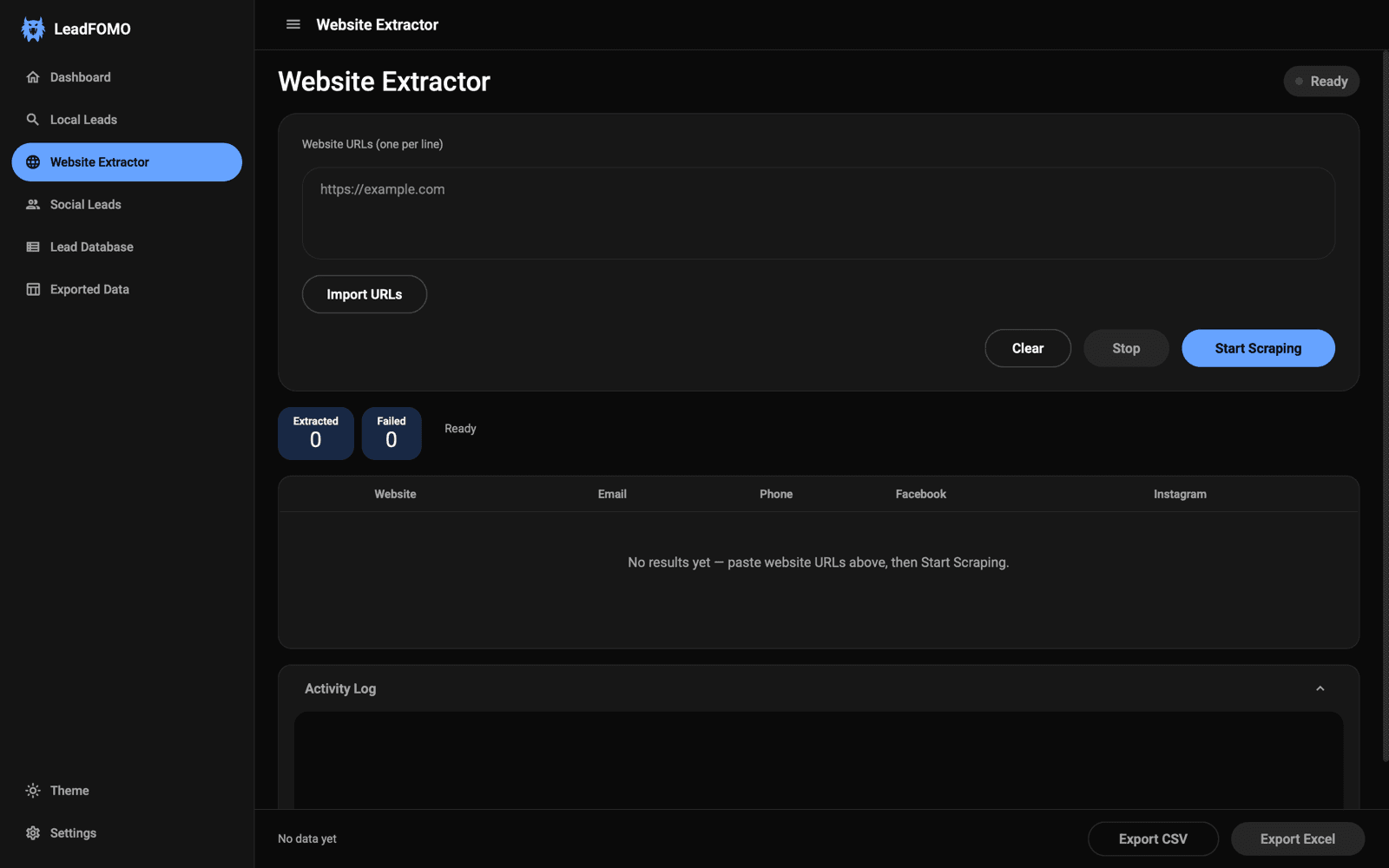
Provide business website addresses — or import a list — and LeadFOMO reviews each site for publicly displayed emails, phone numbers, and social links, collecting them into one tidy table.
- Add URLs one per line or import them from a file
- Collects publicly displayed email, phone, and social profile fields
- Progress counters and a full activity log for every run
Public profile research
Review supported public business profiles
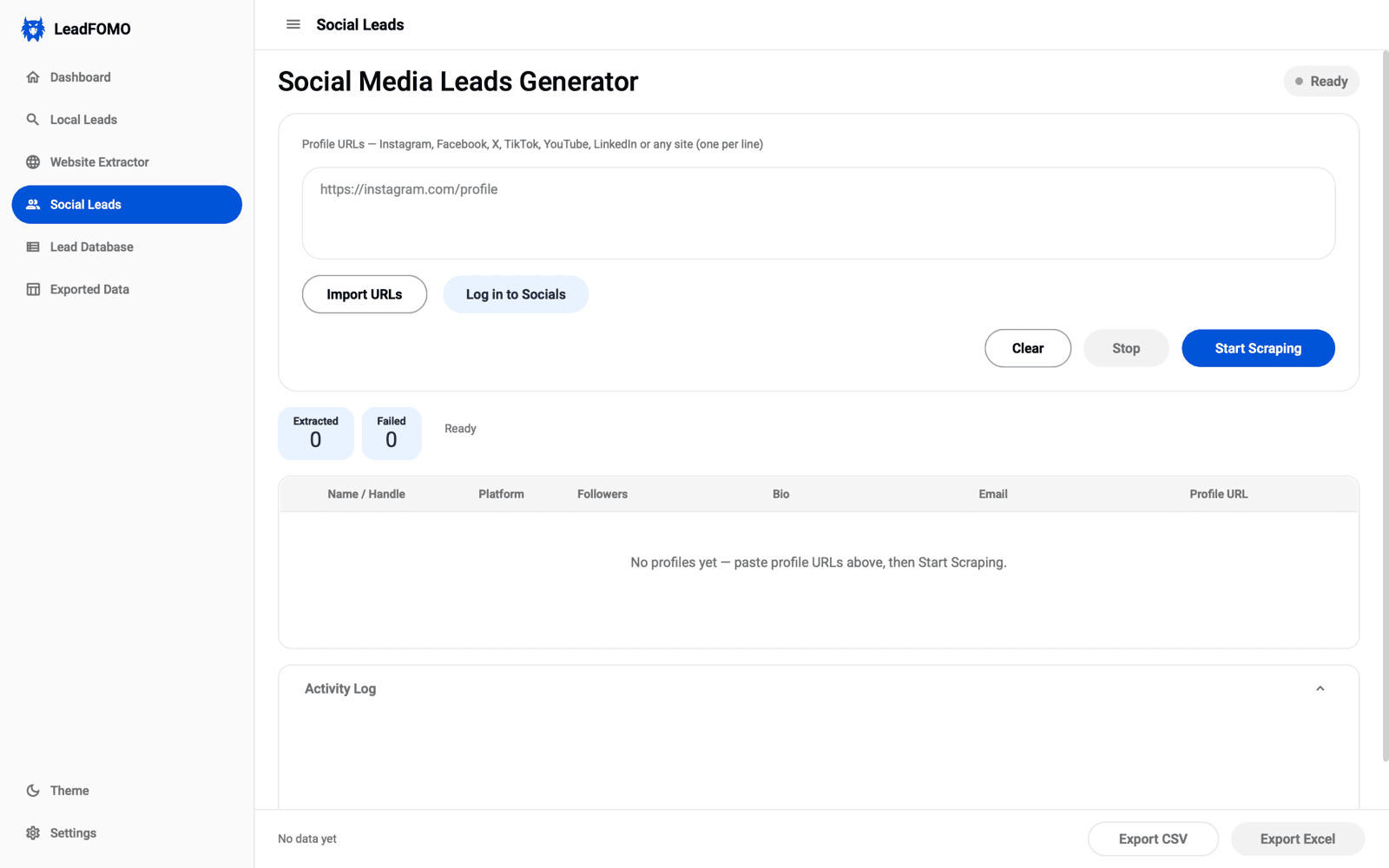
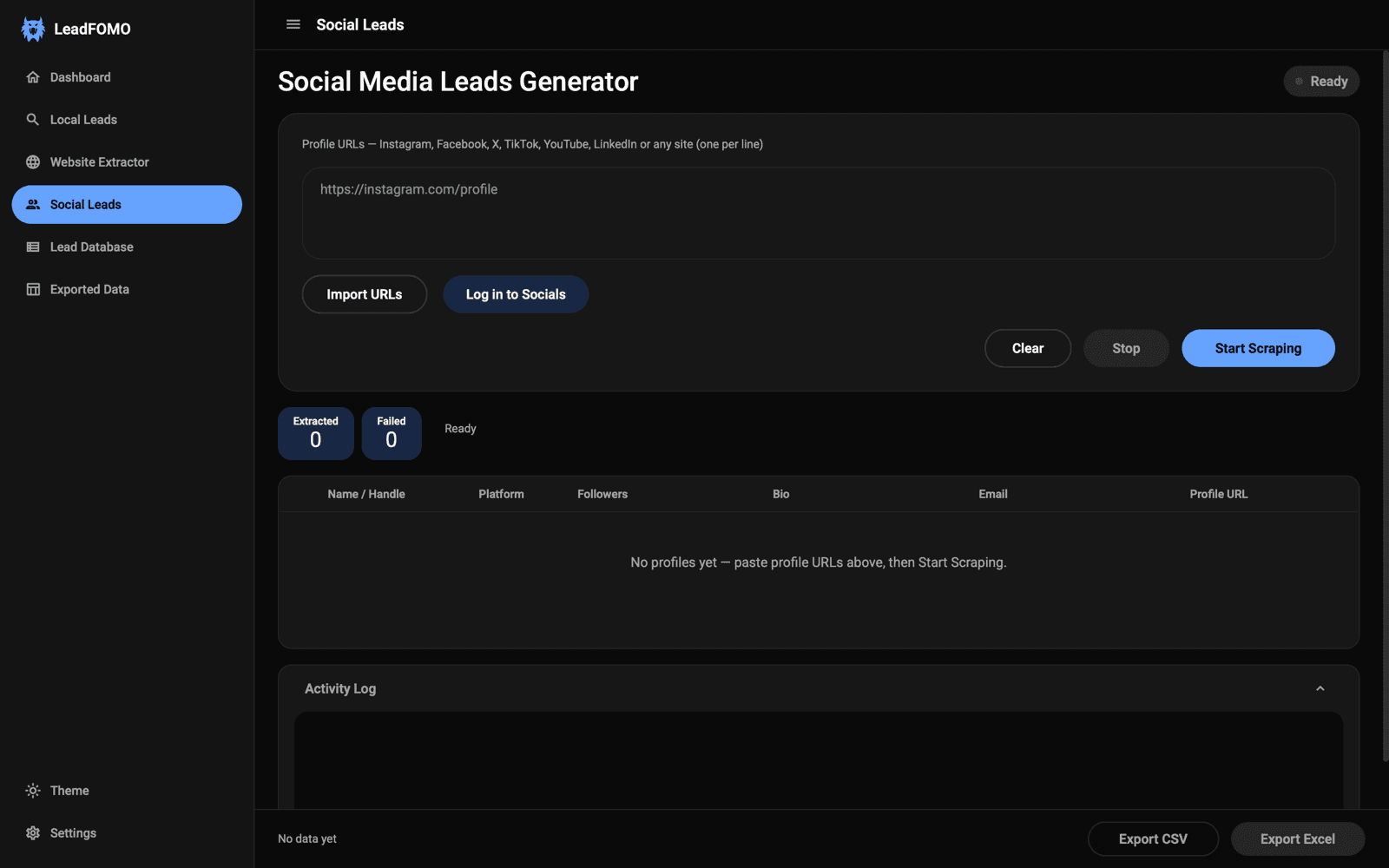
Provide profile links from supported platforms and organise the publicly available details — name or handle, platform, follower count, bio, and a published email where one is displayed — into records you can review.
- Works from profile URLs you provide, one per line or imported
- Available fields depend on each source and its current availability
- Use it only where the platform and applicable law permit
Organisation and export
One local database, with spreadsheet export
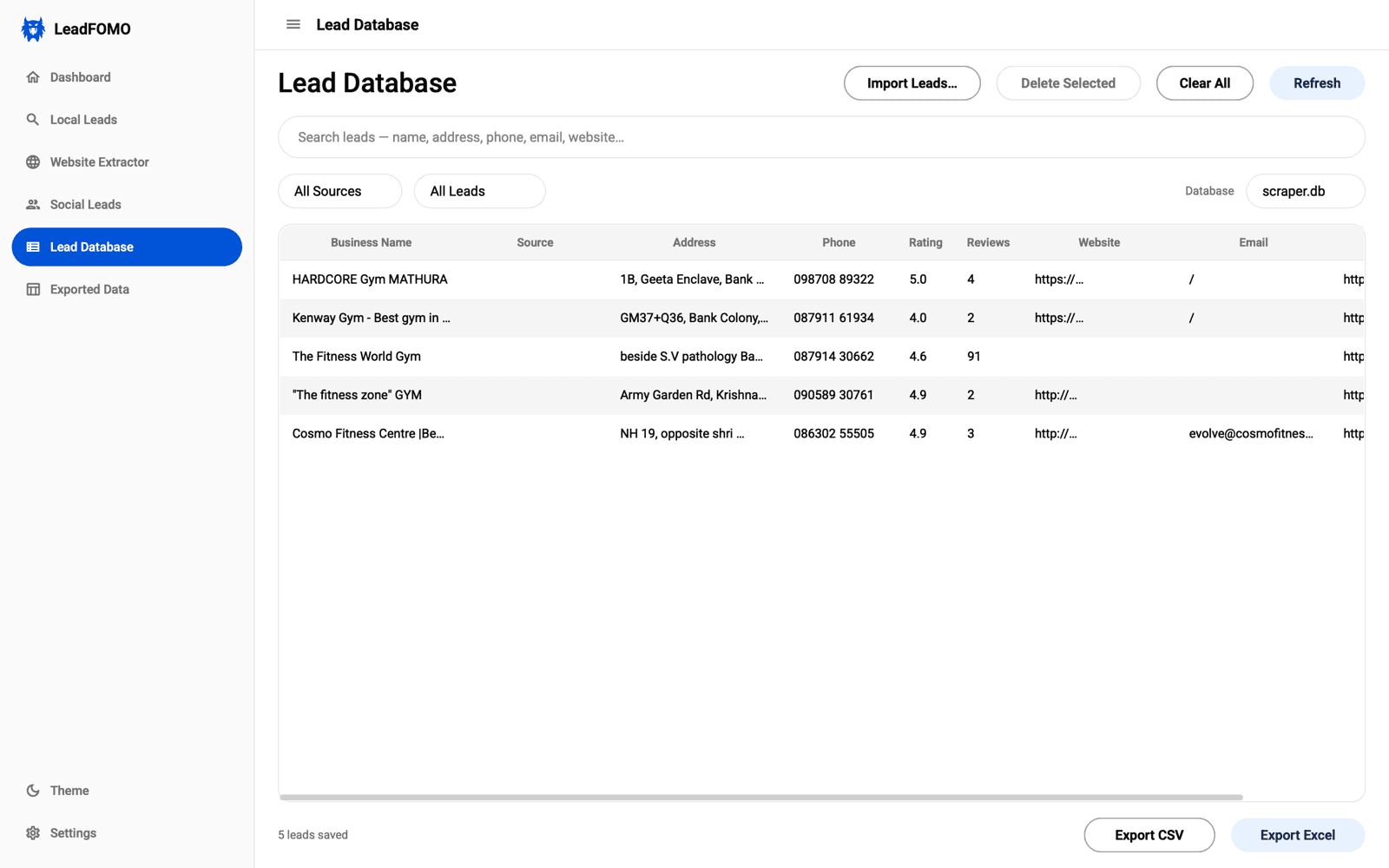
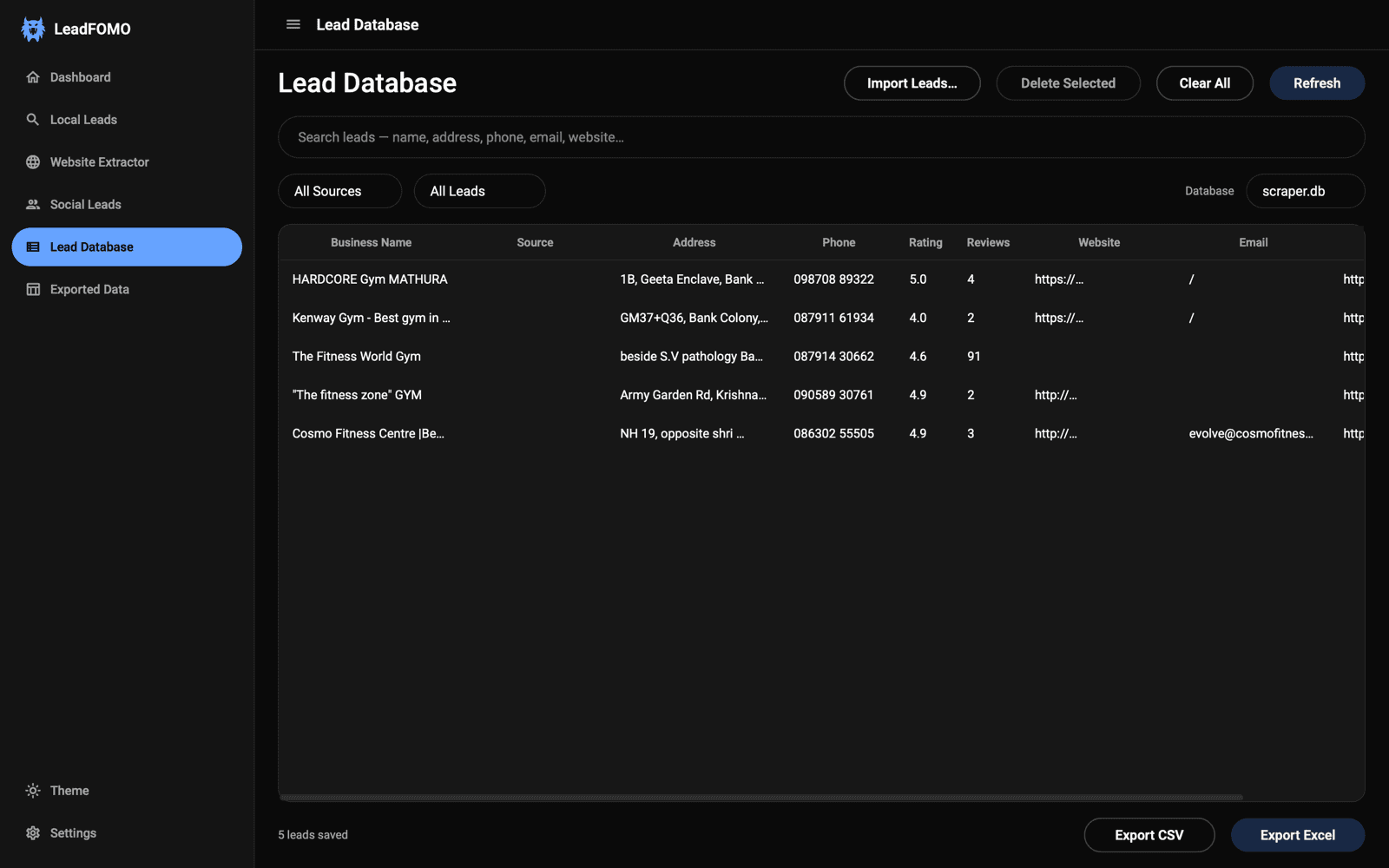
Every record you collect lands in a searchable local database on your computer. Filter by source, remove what you don't need, and export CSV or Excel files whenever you're ready.
- Search and filter saved records by name, contact field, or source
- Records stay in a local database file on your own computer
- CSV and Excel export, with an export history screen to reopen files
Who it’s for
Built for teams that live on B2B research
Agencies, sales teams, and researchers use LeadFOMO to turn public business information into repeatable, export-ready pipelines.
Agencies
Build client prospect lists faster
Research a client's target market by category and city, then hand over an organised, reviewed list instead of hours of manual look-up.
- Repeatable market research
- Reviewed public records
- Export per client
B2B sales teams
Feed the pipeline with local businesses
Turn a territory into a structured shortlist of businesses with published contact details, ready for your CRM and outreach cadence.
- Territory shortlists
- Published contact fields
- CRM-ready exports
Researchers & freelancers
Run market research on repeat
Reproduce the same public-information research across cities and categories, keeping every batch in one searchable local database.
- Reproducible batches
- Searchable local DB
- CSV / Excel deliverables
Why LeadFOMO beats doing it by hand
The research still gets done — you just stop doing the tedious parts.
Clear product boundaries before you buy
The payoff
Spend minutes where you used to spend hours
Manual research means opening tab after tab and copy-pasting into a spreadsheet. LeadFOMO runs the research for a whole batch, so your time goes to outreach — not look-up.
- Research a full batch in one run
- Review an organised table instead of dozens of tabs
- Export to CSV or Excel and get straight to outreach
≈ 20× less manual look-up per batch. Illustrative estimate — your results depend on the query and sources.
Built the way research teams actually work
A cleaner list beats a longer one. Here’s what teams get out of it.
The point isn't a longer list — it's a cleaner one. Getting name, website, phone and socials already consolidated per business is what saves the afternoon.
How agencies describe the workflow
Running the same research across three cities and exporting each batch to CSV turned a recurring manual chore into a five-minute task.
A repeatable-research use case
Keeping every record in a local database we control — then exporting to our own CRM — was the deciding factor over cloud-only tools.
Why local-first matters to sales teams
Trust & security
Premium software, responsible by design
Local-first data, secure payments, and clear guardrails for lawful, responsible research.
7-Day Money-Back Guarantee
If we cannot install or run LeadFOMO on your supported computer, we refund you in full. We troubleshoot over AnyDesk first.
Public information only
Designed for lawful research of publicly available business information — never private or restricted data.
Local-first data
Records live in a database file on your own computer, not a shared cloud you don't control.
Secure payments
Checkout is handled by a PCI-compliant payment gateway. We never see your card details.
GST invoicing
Every purchase gets a sequentially numbered GST invoice, with B2B input-tax-credit invoices on request.
Unique license per purchase
Activate in the app in under a minute, and manage bound devices yourself from the dashboard.
Windows & macOS
A native desktop app for both platforms, matching your light or dark system theme.
Built for lawful, responsible research
LeadFOMO is a research assistant for publicly available business information. Using it well means using it responsibly.
Public information only
LeadFOMO is designed for lawful research of publicly available business information. It is not a tool for accessing private data or bypassing platform restrictions.
You stay in control — and responsible
Records are collected into a database on your computer. How you collect, store, use, and contact from that data is your responsibility under applicable laws and source terms.
Outreach needs consent rules
If you contact businesses, follow anti-spam and communication laws in your market and the recipient's, including consent and unsubscribe requirements.
The details live in our Acceptable Use Policy and Anti-Spam and Responsible Outreach Policy.
Clear plan-based licensing.
Review the plans here, then create an account or log in and purchase from Dashboard Billing. Access is issued after payment confirmation, and every purchase is backed by our 7-Day Money-Back Guarantee.
- 1 device included
- 7-day offline grace period
- Google Maps business research
- Website information review
- Public profile review
- CSV / Excel export
+ 18% GST. Full breakdown shown at checkout.
- 2 devices included
- 15-day offline grace period
- Google Maps business research
- Website information review
- Public profile review
- CSV / Excel export
+ 18% GST. Full breakdown shown at checkout.
- 3 devices included
- 30-day offline grace period
- Google Maps business research
- Website information review
- Public profile review
- CSV / Excel export
+ 18% GST. Full breakdown shown at checkout.
7-Day Money-Back Guarantee. If LeadFOMO cannot be installed or cannot run on your supported Windows or macOS computer, you get a full refund. Contact our support team within 7 days of purchase and let us troubleshoot with you over a remote AnyDesk session — if we still cannot get it running on your supported machine, we refund your purchase in full.
- What is covered: The guarantee applies if LeadFOMO cannot be installed or cannot run on your supported desktop.
- Talk to us first: Before requesting a refund, contact LeadFOMO support within 7 days of purchase and allow our team to troubleshoot the issue with you over AnyDesk.
- Can't get it running? Full refund: If our team cannot install or run the software on your supported machine, we refund 100% of what you paid to the original payment method.
- What is not covered: Change of mind, not using the software, or minor bugs while the software is otherwise functional.
- Bugs get fixed, fast: If you hit a bug or feature issue while the app is working, our team prioritises it — most bug fixes ship within 2–3 business days.
Need team seats or custom volume? Talk to us about Enterprise.
Frequently asked questions
Turn public business information into your next B2B leads.
Create your account, log in, and purchase from Dashboard Billing. After payment is confirmed, your license appears in the dashboard and arrives in your branded payment confirmation email.
Unique license key per purchase · activate in the app in under a minute